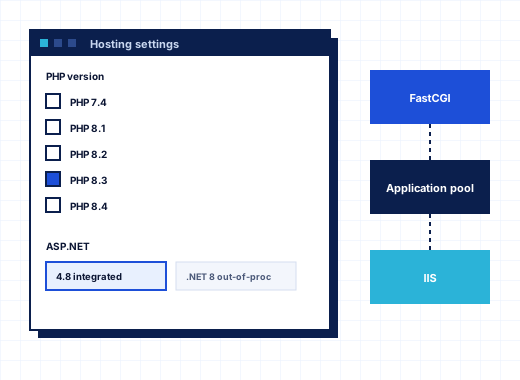
ASP.NET and PHP hosting on Windows from one IIS server#
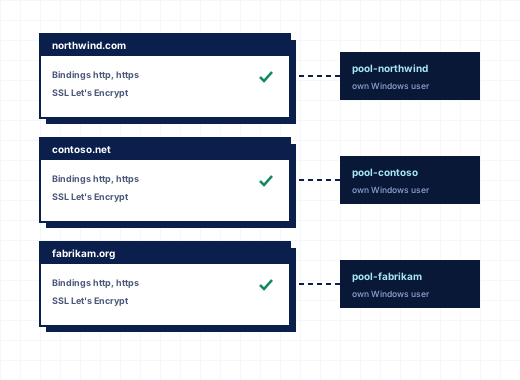
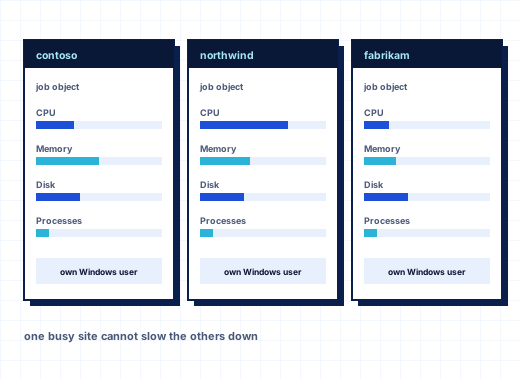
A Windows hosting server rarely serves one kind of application. One customer brings an ASP.NET Web Forms application that needs .NET Framework 4.8 and a SQL Server connection string, another runs WordPress on PHP, a third deploys a Laravel API, and a fourth wants a small Node.js service. StackRegent keeps all of them on the same IIS server by letting each website choose its runtime and by keeping the settings of one site from leaking into another.
The administrator decides which runtimes exist on the server. Customers then pick from those, within what their service plan allows. Everything below is in every plan.
Installing runtimes from Server Components#
Runtimes are installed under Tools & Settings › Server Components, grouped as Web server, Scripting, Developer tools and so on. Click Check for new versions to read the vendors' release lists, then Install or Update. Each download is checked against the vendor's published checksum or Microsoft's signature before it runs, and the job is shown in the Task Manager.
| Component | Notes |
|---|---|
| PHP | Non-thread-safe x64 builds from windows.php.net, several versions side by side |
| .NET Framework and ASP.NET 4.x | Part of Windows; the installer enables ASP.NET 4.8 |
| ASP.NET Core Hosting Bundle | Several versions side by side; adds the .NET runtime and the IIS ASP.NET Core Module |
| Node.js | LTS versions side by side |
| iisnode | Runs Node.js applications inside IIS; needs URL Rewrite 2.1 |
| Composer, WP-CLI | Need PHP; used by the website tools |
| Git for Windows | Used by the Git tool of websites |
Dependencies are handled for you: PHP needs the Visual C++ runtime, iisnode needs URL Rewrite, and Composer, WP-CLI, phpMyAdmin and Roundcube need PHP. For PHP and Node.js the page shows how many websites use each version, so you know what a removal would affect.
Multiple PHP versions side by side through FastCGI#
Tools & Settings › PHP Settings lists the installed PHP versions with their folders and the number of websites on each. Untick Offered to websites to retire a version for new choices without breaking the sites still on it. Remove is available only once no website uses the version.
Every website runs PHP through FastCGI as its subscription's Windows user. The php.ini a site gets is built from the server-wide php.ini of its version plus the site's own values, and the site's values come last, so they win. The administrator edits each version's server-wide php.ini in the panel and clicks Save and update websites to apply it.
New PHP versions start with a hardened disable_functions line that blocks the functions uploaded web shells use to start programs: exec, passthru, shell_exec, system, popen, proc_open and its helpers, plus show_source, dl, pcntl_exec, symlink and link. Websites cannot change that directive. Ordinary applications do not need these functions; WordPress and PHPMailer check for them and use other methods. Composer, WP-CLI and Laravel Artisan started from the panel run without the restriction.
PHP settings per website#
On a website, Hosting Settings chooses the PHP version, and PHP Settings holds that site's php.ini values: memory_limit, max_execution_time, post_max_size, upload_max_filesize, display_errors, open_basedir, the FastCGI values, and free-form directives in php.ini syntax. Placeholders such as {DOCROOT}, {WEBSPACEROOT} and {TMP} save typing full server paths into the settings. Empty fields use the server default. PHP uploads, temp files and sessions are kept in the subscription's own tmp folder, not in a shared Windows temp directory. The PHP info tool shows what the site actually runs with.
Whether customers may change the PHP version at all is a plan permission, PHP version and handler management. Without it, they see a message that asks them to contact their provider.
ASP.NET settings and web.config#
ASP.NET 4.x applications read their settings from web.config. StackRegent edits the parts customers usually need through a form, so they do not have to hand-edit XML over FTP.
On the website, open ASP.NET Settings and tick Manage these settings in the website's web.config. When it is off, the panel leaves web.config untouched, which suits applications that ship a complete file. With it on, the customer sets:
- Custom errors, the default error page URL and Compile with debugging
- the code access security trust level and Authentication mode
- request, response and file encodings, culture and UI culture
- Session state mode and Session timeout
- Connection strings, one per line as
name=connection string - Application settings as
key=value
The administrator sets the defaults new websites start with under Tools & Settings › ASP.NET Settings, which also lists the installed .NET Framework and ASP.NET Core versions. In Hosting Settings, the site's managed runtime can be set to ASP.NET 4.x or 3.5 for older applications.
A typical ASP.NET application reads its database through a connection string such as:
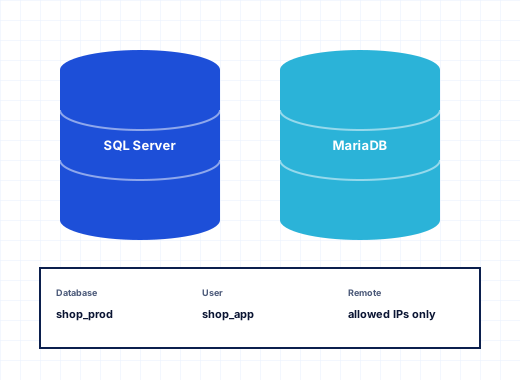
ShopDb=Server=<server from Connection Info>;Database=shop_db;User Id=shop_user;Password=...;and loads it in code with ConfigurationManager.ConnectionStrings["ShopDb"]. The website's Connection Info tool lists the SQL Server and MariaDB addresses to use. Databases themselves are covered on SQL Server and MariaDB databases.
ASP.NET Core applications#
Install one or more versions of the ASP.NET Core Hosting Bundle under Server Components. It adds the .NET runtime and the IIS ASP.NET Core Module, and the installed versions appear on the ASP.NET Settings page. An ASP.NET Core application is then published to the site, for example from Visual Studio with Web Deploy on port 8172, and IIS runs it through the module in the subscription's own application pool. Because several Hosting Bundle versions can sit side by side, an application built for an older .NET release keeps running while new ones use the current one.
Node.js through iisnode#
Node.js applications run inside IIS with iisnode, in the website's application pool and as the subscription's user:
- The administrator installs URL Rewrite 2.1, iisnode and one or more Node.js LTS versions.
- On the website, the customer opens Node.js, switches on Enable Node.js and chooses the version (empty uses the newest installed).
- They enter the Application startup file, for example
app.js, choose Production or Development mode, and add environment variables asNAME=value.
Requests for files that do not exist go to the startup file, so static assets are served by IIS and routes by the application.
Composer and the Laravel toolkit#
PHP Composer works on any folder with a composer.json: check for updates, install, update all, add a package (optionally as require-dev), choose the PHP version Composer runs with, rebuild the autoloader and validate the file.
Laravel installs a new application next to the document root, can make its public folder the document root, and can create a MariaDB database or use SQLite. Each application card has switches for maintenance mode, debug mode, the scheduler and a queue worker, a field for artisan commands, quick buttons for Migrate, Migration status, Cache config and routes and Clear caches, plus Edit .env and Link public/storage. If the document root does not point at public, the panel warns you. Combined with the Git tool's deployment actions, a push can pull the code and run php artisan migrate --force without anyone logging in to the server.
Other applications in one click#
Besides the WordPress Toolkit, the website's Applications tool installs Joomla, Drupal, phpBB and DNN. DNN switches the site to ASP.NET 4 and uses a SQL Server database. Joomla and Drupal can be updated from the same tool, and each application can be backed up or removed.
To test your own applications on ASP.NET and PHP hosting on Windows, start the 10-day trial and follow the installation guide.
Frequently asked questions
Can different websites use different PHP versions on the same server?
Yes. The administrator installs several PHP versions side by side, and each website picks its version under Hosting Settings. Every site runs PHP through FastCGI as its subscription's Windows user, with its own php.ini values on top of the version's server-wide file.
Which PHP builds does StackRegent use?
The non-thread-safe x64 builds from windows.php.net, which are the builds meant for FastCGI under IIS. They are installed and updated from PHP Settings or Server Components.
Why are exec and shell_exec disabled?
New PHP versions disable the functions that start programs or shells, because uploaded web shells depend on them and normal sites do not. Websites cannot turn them back on. The administrator can remove a function from the server-wide php.ini if a trusted application really needs it.
Does StackRegent support .NET Framework 3.5 applications?
The website's managed runtime can be set to ASP.NET 3.5 as well as 4.x in Hosting Settings. The .NET Framework 3.5 feature itself must be present in Windows for those applications to run.
How do I host an ASP.NET Core application?
Install the ASP.NET Core Hosting Bundle version your application targets under Server Components, then publish the application to the website, for example with Web Deploy from Visual Studio. IIS runs it through the ASP.NET Core Module in the subscription's application pool.
Can I run Node.js and PHP in the same subscription?
Yes. Node.js is switched on per website through the Node.js tool and runs under iisnode, so one site in a subscription can be a Node.js application while another runs PHP or ASP.NET.