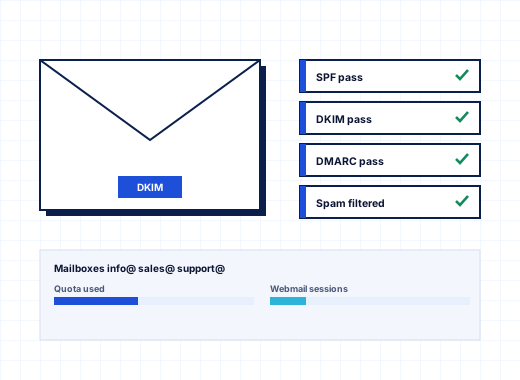
Windows email hosting with a MailEnable control panel#
StackRegent hosts mail with MailEnable Standard, which provides SMTP, POP3, IMAP, mailing lists and DKIM signing on Windows Server. The panel installs it from Server Components (it is part of the default install), creates a post office for each domain, and manages every mailbox, alias and forwarder through the panel, so nobody has to open the MailEnable administration program for day-to-day work. Roundcube Webmail can be installed beside MailEnable's own webmail.
Mail settings apply as soon as MailEnable is installed. If it is missing, each mail page in the panel says so and links to Server Components. A SmarterMail option is listed as planned and is not available yet.
Mailboxes, aliases and forwarding for customers#
Customers open Mail from Home or from the subscription. The page has four tabs: Email Addresses, Mail Settings, Mailing Lists and Outgoing Mail.
To create an address, click Create Email Address, enter the name before the @ and choose the domain. Each address can:
- keep mail in a mailbox on the server, with a size taken from the plan, set in MB, or unlimited when the plan allows it
- have aliases, other names in the same domain that deliver to it, such as
infoandsales - forward incoming mail to up to 20 addresses, with or without keeping a copy
- send an auto-reply with a subject and a plain-text or HTML message, once per sender per day, with an optional date it switches off
Turning off Keep mail in a mailbox on this server makes a forward-only address that uses no disk space. Mailbox usage is listed per address and refreshed on request. Removing a mailbox deletes the mail in it.
Mailing lists, when the plan includes them, take a list address, a description and members one per line; every message to the list address goes to all members.
Users who manage only their own mailbox#
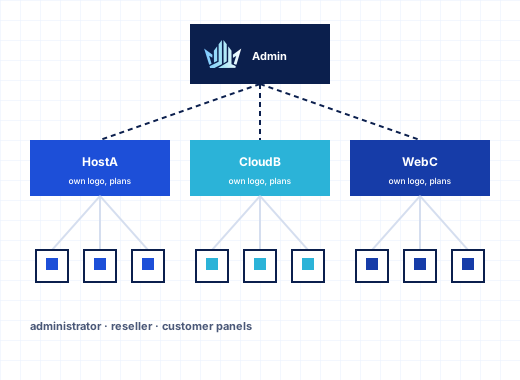
A customer can give an employee a panel login with the Mail User role. That user sees only My Mailbox, where they change the mailbox password, set forwarding and an auto-reply, and open webmail. They cannot see websites, databases or other mailboxes. See resellers and branding for the other customer roles.
Webmail with Roundcube on webmail.yourdomain#
Each domain's webmail answers on webmail.<domain>. Tools & Settings › Webmail lists the webmail services domains may choose: MailEnable WebMail, Roundcube once it is installed, and any external webmail you register with a name and a link that contains <domain>. Each domain picks one in its mail settings or follows the plan default. Users log in with their full email address and mailbox password. The default DNS template already includes an A record for webmail, so new domains get working webmail without extra steps.
Mail client setup and autodiscover#
Mail clients connect on standard encrypted ports: SMTP submission on 587 with STARTTLS, IMAP on 993 and POP3 on 995 over SSL/TLS. With Autodiscover switched on in Mail Server Settings, the server publishes SRV and autoconfig records and answers Outlook and Thunderbird, so most clients set themselves up from the email address alone. For anything else, Client setup next to a mailbox shows the host name and ports, and Profile for iPhone, iPad and Mac downloads a configuration profile for Apple devices. SMTP, IMAP, POP3 and FTPS can present the panel's certificate or any certificate from the server pool, chosen under SSL/TLS Certificates › Certificates of mail and FTP.
Spam filter, block lists and greylisting#
Tools & Settings › Spam Filter combines sender checks and content scoring:
| Check | What it does |
|---|---|
| SPF | Checks the sender domain's SPF record |
| DNS block lists | Checks the sending server against the zones you list |
| Greylisting | Delays mail from unknown servers once |
| Auto-ban | Bans servers that keep making bad requests |
| Content check | Scores incoming mail; 7 is a good starting threshold |
| SpamAssassin | Optional component that scores mail with Apache SpamAssassin instead of the built-in check |
Spam is either delivered with a tag in the subject or deleted. Server-wide block and allow lists take addresses, domains with wildcards and IP networks. If you allow it, mailbox owners can switch the filter off for their mailbox, set their own score and keep personal block and allow lists. Every checked message carries an X-Spam-Status header with its score and the tests that hit, which makes false positives easy to explain to a customer.
SpamAssassin installs from Server Components as the StackRegent SpamAssassin service, listening only on 127.0.0.1 port 783, with rules updated daily. If it does not answer within 8 seconds or a message is larger than 512 KB, the built-in check scores that message, so mail is never held up.
DKIM, SPF and DMARC records#
DKIM signing has a server-wide switch in Mail Server Settings and a per-domain switch: Mail › Mail Settings › Change › Sign outgoing mail with DKIM. When the server hosts the domain's DNS, the panel publishes the key as a TXT record at <selector>._domainkey.<domain> by itself. When DNS is hosted elsewhere, the domain's card shows the exact TXT record to add at the other provider.
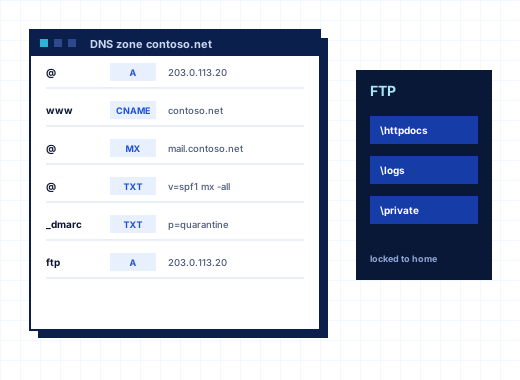
New zones get an SPF record (v=spf1 +a +mx -all) and a DMARC record (v=DMARC1; p=none) from the DNS template, along with the MX record and A records for mail and webmail. The Mail Settings tab shows the SPF and DMARC values in use for each domain. Zone templates are covered on DNS and FTP.
Outgoing limits, relay and smarthost#
A single compromised mailbox can get a server's IP onto block lists in an hour. StackRegent limits recipients per hour for each domain and each subscription. Server defaults are set in Mail Server Settings, service plans and individual domains can set their own, and Outgoing Mail Control shows who is close to the limit and how many messages were refused in the last 24 hours.
Relaying is allowed only for users who log in with their mailbox password and for networks you list; the server is never an open relay. POP before SMTP can be turned on for old clients.
When your data center blocks port 25, or you send through a relay service, Smarthost routes all outgoing mail through another server on port 587, with or without a login. Its Check mail delivery card tests whether the server can reach other mail servers on port 25, logs in to the smarthost and shows the outgoing queue. Panel notices, password resets and mass email can go through a separate External SMTP Server with a test message to confirm it works.
Malware scanning with Microsoft Defender#
Tools & Settings › Antivirus uses Microsoft Defender to scan mail as MailEnable writes it to the queues and mailboxes. Infected messages are quarantined before anyone reads them. The page shows whether Defender and real-time protection are running, the signature and engine versions, and the threats found in mail. Specific mailboxes, such as a security team's sample inbox, can be excluded from scanning.
Mail ports and brute-force protection#
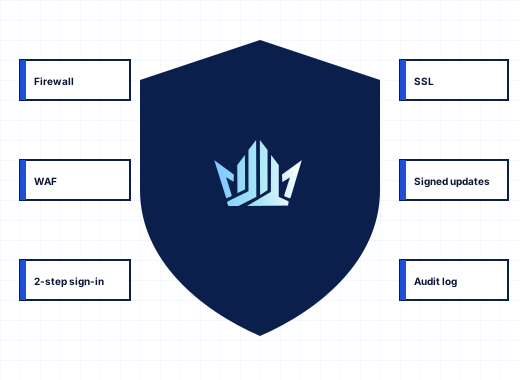
IP Address Banning watches SMTP, POP3 and IMAP logins together with the panel, FTP and Remote Desktop, and bans addresses that keep failing. The Windows Firewall page can limit SMTP, POP3 and IMAP to listed addresses or close them completely. See security.
If you run Windows email hosting on Plesk for Windows today, mailboxes move with their messages through the migration tools. To try the MailEnable control panel yourself, start the 10-day trial.
Frequently asked questions
Which mail server does StackRegent use on Windows?
MailEnable Standard, which StackRegent installs and manages for SMTP, POP3, IMAP, mailing lists and DKIM. Roundcube and MailEnable WebMail are available as webmail. SmarterMail is planned but not available yet.
Do I need a separate MailEnable license?
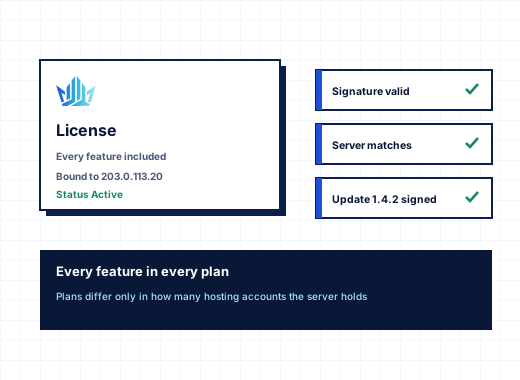
StackRegent uses the MailEnable Standard edition, which it installs from Server Components. MailEnable's own terms apply to it; check them on the MailEnable website if you plan to use features of its paid editions.
How do customers set up Outlook with a StackRegent mailbox?
With autodiscover on, Outlook finds the settings from the email address. Otherwise the Client setup dialog shows the host name, IMAP on 993, POP3 on 995 and SMTP on 587 with STARTTLS, and the login is the full email address.
How do I enable DKIM for a domain?
Make sure DKIM is allowed under Mail Server Settings, then open the subscription's Mail page, choose Mail Settings, click Change for the domain and tick Sign outgoing mail with DKIM. If the server hosts the DNS zone, the key is published automatically; otherwise the panel shows the TXT record to add.
What can I do if my provider blocks port 25?
Set up a smarthost under Tools & Settings, Smarthost. All outgoing mail is then relayed through that server, usually on port 587 with STARTTLS, and the Check mail delivery card confirms the connection.
Can I stop a hacked mailbox from sending spam?
Outgoing limits cap recipients per hour for each domain and subscription, so a compromised mailbox stops at the limit. Outgoing Mail Control shows which domains are at their limit and how many messages were refused.