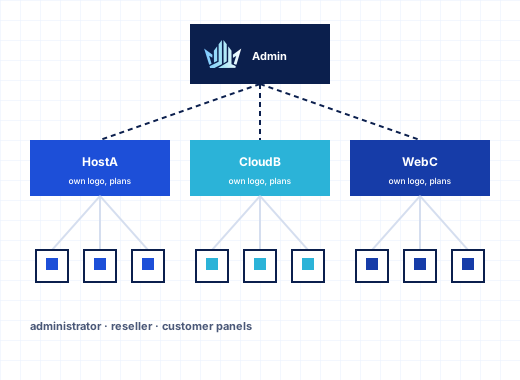
Three levels: administrator, reseller and customer#
StackRegent has the same three-level model hosting providers know from the Linux panels, built for IIS:
| Level | Who uses it | What they manage |
|---|---|---|
| Administrator | You, the server owner | The server, all customers and resellers, service plans, reseller plans, IP addresses, branding |
| Reseller | Agencies, web designers, smaller hosts | Their own customers, subscriptions, service plans and add-ons, their branding, their API keys |
| Customer | The site owner | Their subscriptions: websites and domains, WordPress, mail, databases, files, FTP, scheduled tasks, backups, statistics and their own panel users |
All three log in on the same address (https://SERVER:9443/ or your custom panel URL) and get a panel shaped for their level. If you only run your own sites, the Power User view under Tools & Settings › Interface Management hides customers, resellers and service plans; the Service Provider view shows the full reseller hosting setup.
Reseller plans in the Windows reseller hosting panel#
You give each reseller a reseller plan under Hosting Services › Service Plans › Reseller Plans. It has two tabs.
Resources sets the totals the reseller can share among their customers: Customers, Subscriptions, disk space, traffic per month, domains, subdomains, domain aliases, mailboxes, MariaDB and SQL Server databases, additional FTP accounts and an Expiration date, plus the reseller's Overuse policy and Allow overselling.
Permissions decides what the reseller may do:
- Create and manage own service plans: without it the reseller sells your plans unchanged.
- Manage the IP pool assigned by the administrator: without it new subscriptions get the first address of their pool.
- Brand the panel for their customers: turns on Branding.
- Log in as their customers: turns on Log in as customer.
- Grant Remote Desktop access to subscriptions.
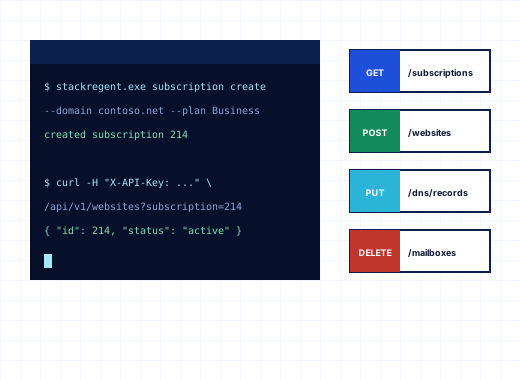
- Use the REST API: lets the reseller create API keys for their own billing system.
Choosing None (no limits) gives a reseller no limits at all, which is useful for your own staff or a trusted partner. Existing customers can be turned into resellers, and resellers back into customers, with Convert to Resellers and Convert to Customers; a reseller who still has customers cannot be converted until those customers are moved.
Overselling controls#
Overselling is a business decision, so StackRegent makes it explicit per reseller plan.
The Customers and Subscriptions counts always apply. A reseller with a 50-customer plan cannot add the 51st customer; the panel says "The reseller plan allows 50 customers."
With Allow overselling off, which is the default, the plans a reseller sells must fit into their totals. If the reseller has 50 GB of disk space and has already sold 45 GB in plans, a 10 GB plan is refused with a message that names the limit and the shortfall. A plan with an unlimited value is refused while the matching reseller total is limited.
With Allow overselling on, the reseller may sell more than their totals, because most sites never use their full allowance. The panel still watches real usage. When a reseller's customers together use more than a total, you get a Reseller oversells resources notice, at most once a month for each limit. You decide who receives it, and how, under Tools & Settings › Notifications. Subscriptions also keep following the overuse policy of their own hosting plan, and resellers are notified by default when one of their customers' subscriptions approaches or exceeds its limits.
Resellers build their own service plans#
With Create and manage own service plans, a reseller gets Service Plans with Hosting Plans and Add-ons tabs. Their plans have the same tabs as yours: Resources, Permissions, Hosting Parameters, PHP Settings, Mail, DNS, Performance, Logs & Statistics and Additional Services. They can Clone a plan to make a larger version, and when they change a plan in use they choose Update & Sync to apply it to all subscriptions on it, or Update without syncing.
Add-ons extend a subscription beyond its plan: their limits add to the plan's, and their permissions are granted on top. A reseller can sell "extra 10 GB" or "backups to S3" as an add-on without new plans.
IP addresses for resellers#
Under Tools & Settings › IP Addresses, tick which resellers may use each address. When a reseller adds a subscription, the IP address list offers only their addresses, with First address of my pool as the default. Shared and dedicated addresses work the same way, so a reseller who sells dedicated IPs for SSL or mail reputation can do so from their own pool.
White-label branding#
Branding has two layers.
Your branding, under Tools & Settings › Branding, sets the Title shown next to the logo and in browser tabs, the Logo and Logo link, the Favicon, and the login screen's background color, background image and image fit. Images can be uploaded or given as an https:// address. This is what everyone sees on the login page.
Reseller branding, under Branding in the reseller's panel, puts the reseller's own Title (up to 60 characters), Logo, Logo link and Favicon on the panel their customers and their customers' users see after logging in. Logos can be PNG, JPEG, SVG or WebP and favicons SVG, ICO or PNG. The login page itself keeps your look, because one login page serves every account on the server.
Language packs under Tools & Settings › Languages translate menus, page titles and breadcrumbs; each user picks a language in their profile. With light, dark and system themes, the panel looks like part of your service rather than a third-party tool.
Custom buttons#
Tools & Settings › Custom Buttons adds links to your own services inside the panel: the billing portal, a status page, a knowledge base or an upsell for managed WordPress. Each button has a Label, Address, Image and Description, and you choose:
- Shown on: Home page, navigation menu, subscription pages or website tools,
- Shown to: administrators, resellers, customers or everyone,
- a Priority for the order, and Open in a new window.
Buttons placed in the navigation menu appear in an extra Links group.
Customer users and roles#
Customers should not have to share their own login with a web designer or an accountant. Under Users, the account owner adds panel users with their own login, name, email, role and status, and limits each to All subscriptions or a single subscription. The plan permission Panel user accounts management controls this.
Five built-in roles cover most cases:
| Role | Can open |
|---|---|
| Domain Administrator | Everything in the account: websites, mail, databases, files, applications, users and backups |
| WebMaster | Websites, files, databases, FTP, applications, DNS, scheduled tasks, statistics and backups; no mail or users |
| Application User | The installed applications and WordPress sites |
| Accountant | The account, its subscriptions, resource usage and statistics |
| Mail User | Only their own mailbox: password, forwarding, auto-reply and spam filter, through My Mailbox |
When none fits, the customer creates up to 50 custom roles from 13 areas: websites, files, mail, databases, FTP, applications, DNS, statistics, scheduled tasks, backups, users, account and own mailbox. What a user can change inside an area still follows the hosting plan's permissions, so a role never grants more than the plan allows. Resellers have their own Users page for extra logins on the reseller account too.
Log in as a customer#
Support is faster when you see what the customer sees. On any active customer or reseller page, Log in as customer (or Log in as reseller) opens the panel as that account, with a bar at the top that says You are in the panel of and the name, and Back to administrator to return. Open in customer panel on a subscription jumps straight to it. Resellers can do the same for their own customers when their plan includes Log in as their customers.
For safety, API keys cannot be created while you are logged in as someone else; the customer creates their own keys.
Running a reseller program on Windows#
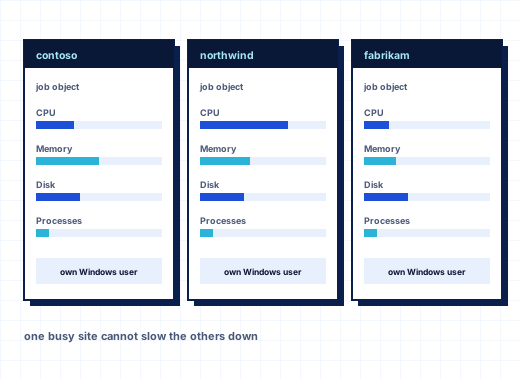
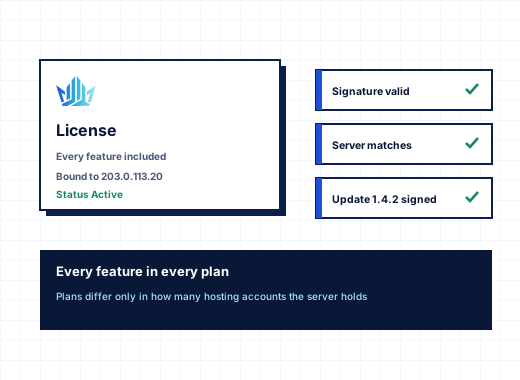
Resellers with their own billing system can connect it through the REST API with reseller-level keys that reach only their own customers. Their customers get the full toolset, including the WordPress toolkit, backups where your plan allows them, and per-account resource limits that protect your server from oversold accounts. Every StackRegent plan includes reseller accounts and branding; plans differ only in the number of hosting accounts, see pricing. Hosting companies interested in reselling StackRegent licenses can read about the partner program.
Frequently asked questions
Can I sell Windows reseller hosting with StackRegent?
Yes. Create reseller plans with totals and permissions, assign them to reseller accounts, and resellers create their own customers, subscriptions and service plans inside those totals on your Windows servers.
How does overselling work for resellers?
Customer and subscription counts are always enforced. With Allow overselling off, the plans a reseller sells must fit into their totals; with it on, they may sell more, and you get a monthly notice per limit if their customers actually use more than the totals.
Can resellers put their own logo on the panel?
Yes, when their reseller plan includes Brand the panel for their customers. They set a title, logo, logo link and favicon that their customers see after logging in; the shared login page keeps the server owner's branding.
Can my customers give their web designer access without sharing a password?
Yes. The account owner adds a panel user under Users with a role such as WebMaster, optionally limited to one subscription. The plan must include Panel user accounts management.
Can I log in to a customer's panel to help them?
Yes. Administrators can open any active customer or reseller panel with Log in as customer, and resellers can do the same for their own customers if their plan allows it.
Can I add a link to my billing portal inside the panel?
Yes. Tools & Settings › Custom Buttons adds buttons to the home page, navigation menu, subscription pages or website tools, shown to administrators, resellers, customers or everyone.