StackRegent features for Windows hosting on IIS
Every StackRegent plan carries the same features. This overview groups them by area and links to a detailed page for each one.
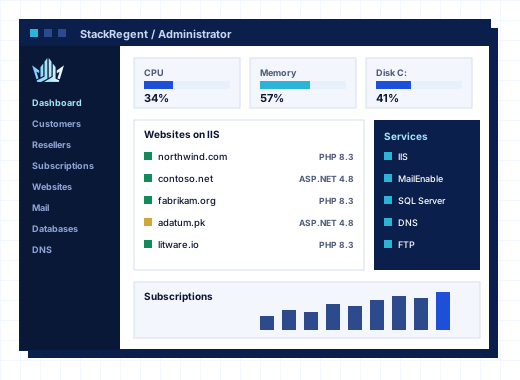
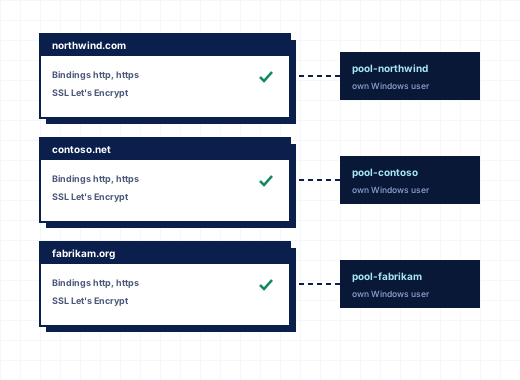 IIS hosting control panel for websites and domainsGive customers the IIS settings they ask for in tickets, from default documents to HSTS, while every site keeps its own application pool and Windows user.
02
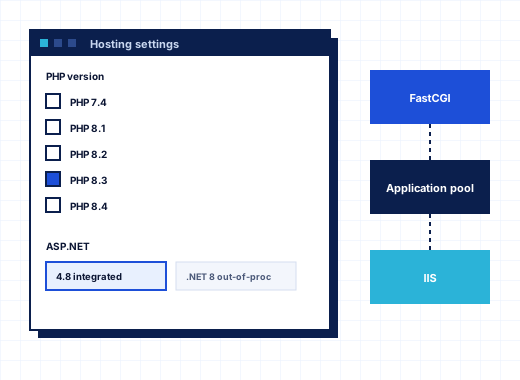 ASP.NET and PHP hosting on Windows with StackRegentHost ASP.NET, ASP.NET Core, PHP and Node.js sites on the same IIS server, with each website choosing its runtime and each subscription running as its own Windows user.
03
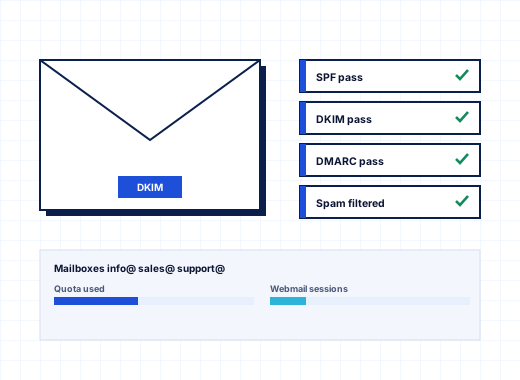 MailEnable control panel for Windows email hostingCustomers create mailboxes, forwarders and auto-replies themselves, while you set the spam filter, sending limits, DKIM and relay rules once for the whole server.
04
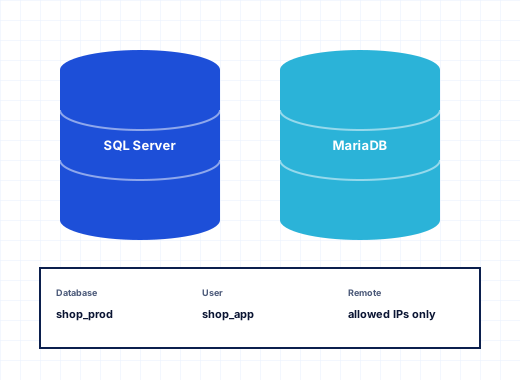 SQL Server hosting control panel with MariaDB supportGive each customer SQL Server and MariaDB databases they can manage from the browser or from SQL Server Management Studio, without seeing anyone else's.
05
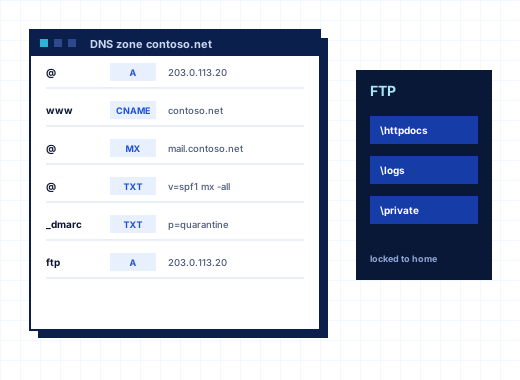 Windows DNS and FTP hosting panelMicrosoft DNS Server and the IIS FTP service, managed from the panel, with zone templates, closed recursion, FTPS and per-folder FTP accounts.
06
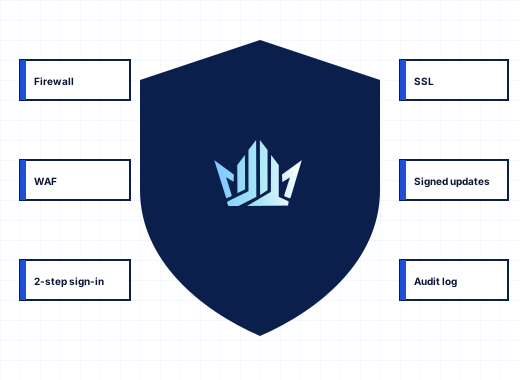 Secure Windows hosting panel with firewall, WAF and IP banningFirewall changes that roll back if they lock you out, a brute-force guard for every login, a web application firewall and account isolation, all in one panel.
07
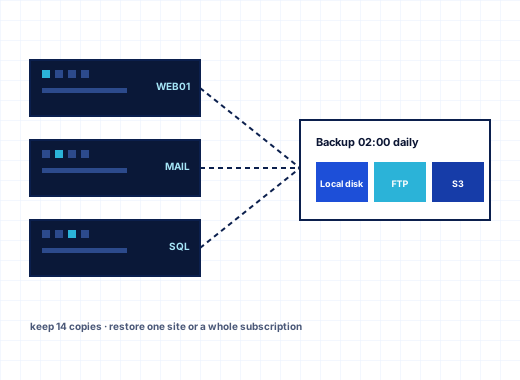 Windows hosting backup and restore with the StackRegent Backup ManagerBack up the whole server, one customer or one subscription on a schedule, keep copies on FTP, SFTP or S3-compatible storage, and restore only the parts you need.
08
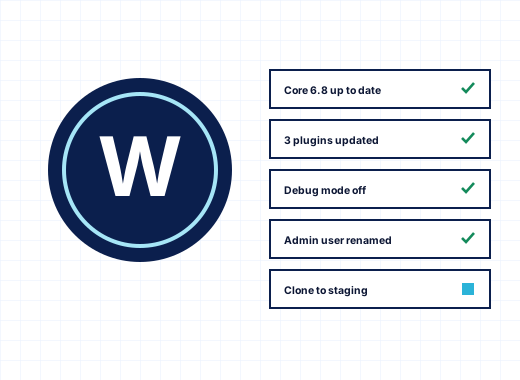 WordPress toolkit for Windows hosting on IISInstall WordPress on IIS in a minute, update core, plugins and themes behind automatic restore points, harden every site and test changes on a staging copy, all from the hosting panel.
09
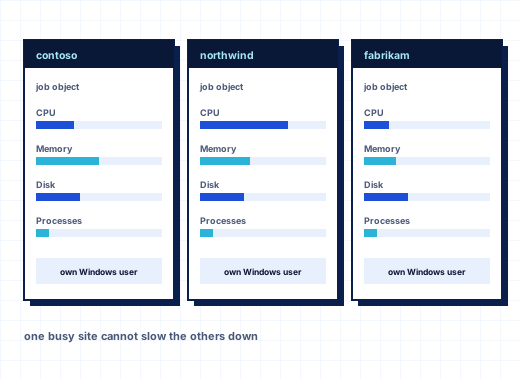 A CloudLinux alternative for Windows hosting with per-account limits and isolationEvery hosting account runs in its own Windows job object, application pool and Windows user, so one busy or hacked site cannot slow down or read its neighbors on the same IIS server.
10
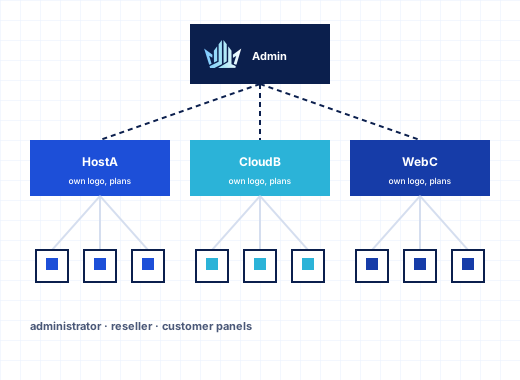 Windows reseller hosting panel with plans, branding and customer rolesGive resellers their own customers, plans and logo on your Windows servers, keep their totals under control with overselling rules, and let every customer add users with the right role.
11
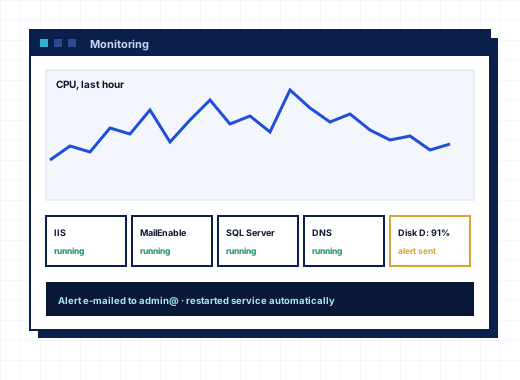 Windows server monitoring in a hosting panel, with graphs, alerts and logsSee CPU, memory, disks, IIS, mail and databases minute by minute, get an email when a value stays high or a service stops, and find the cause from the same panel.
12
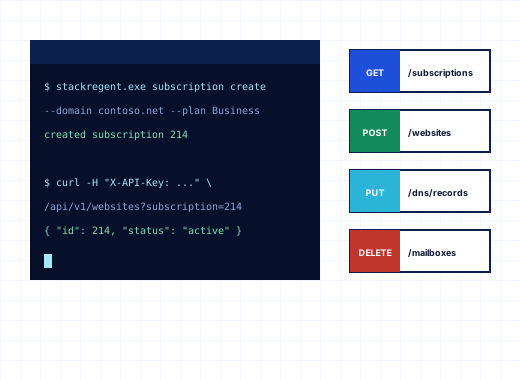 Hosting panel REST API for Windows, command line and automationEverything you can click in StackRegent you can call over HTTPS with an API key, script on the server with the stackregent command, or run on a schedule and on panel events.
13
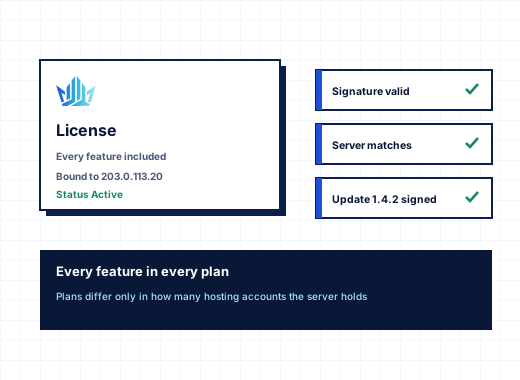 StackRegent license and updates, how keys, checks and signed releases workOne license key per Windows server, checked once a day, with a grace period for outages and a restricted mode that never takes hosted sites offline. Updates are signed and verified before they install.
Windows hosting control panel features by area#
StackRegent covers what a Windows hosting server runs, from the IIS site to the license check. The features fall into seven areas, and each area below links to the pages that describe it in detail, with the exact menu names you will find in the panel. Nothing on these pages is an extra: every plan, including the free trial, has all of it. Plans differ only in the number of subscriptions the server may host; see pricing.
| Feature page | What it covers |
|---|---|
| Websites and IIS | Domains, subdomains and aliases, application pools, hosting and IIS settings, SSL/TLS, Web Deploy, Git, copying, importing and preview |
| PHP and ASP.NET | PHP versions side by side through FastCGI, php.ini per site, ASP.NET and web.config, ASP.NET Core, Node.js, Composer and Laravel |
| Email hosting | MailEnable mailboxes, aliases, forwarding, auto-replies, lists, spam filter, DKIM, Roundcube and Defender scanning |
| Databases | SQL Server Express and MariaDB, users and access, SQL console, phpMyAdmin single sign-on, remote access and ODBC |
| DNS and FTP | Microsoft DNS zones and templates, name servers, zone transfers, IIS FTP with FTPS, extra and anonymous FTP accounts |
| Security | Firewall with rollback, IP banning, ModSecurity WAF, TLS policy, two-factor sign-in, sessions and Defender |
| Backups | Backup Manager at server, customer and subscription level, schedules, encryption and remote storage |
| WordPress Toolkit | WordPress installs, updates, plugins, themes, hardening, backups and staging across the server |
| Resource limits and isolation | Job-object limits for CPU, memory, disk I/O and processes, account isolation checks and disk quotas |
| Resellers and branding | Reseller plans, overselling controls, reseller service plans, branding and customer users with roles |
| Monitoring | Dashboards, per-minute graphs, email alerts, Advisor, Diagnose & Repair and resource usage |
| API and automation | REST API with OpenAPI 3, API keys, the command line, Event Manager and scheduled tasks |
| Licensing and updates | License keys, grace period, restricted mode and signed updates |
Websites and applications on IIS#
A subscription in StackRegent is a webspace with one main domain plus the extra domains, subdomains and aliases its plan allows. Each one is an IIS site the customer manages through tiles for Hosting Settings, IIS Settings, SSL/TLS Certificates, Virtual Directories, Logs and more, without needing Remote Desktop. Let's Encrypt certificates are issued and renewed per site, and Website Preview opens a moved site from the new server before its DNS changes. The websites and IIS page walks through each tool.
Applications get the runtime they were written for. PHP versions from windows.php.net run side by side and each website picks one. ASP.NET 4.x settings are written to the site's web.config from a form, the ASP.NET Core Hosting Bundle can be installed in several versions, and Node.js runs under IIS through iisnode. Developers deploy with Web Deploy from Visual Studio, with Git from GitHub, GitLab or a repository on the server, or with Composer and the Laravel toolkit. The PHP and ASP.NET page has the details.
For WordPress, the WordPress Toolkit installs sites, applies updates with a restore point, hardens installations and makes staging copies. Joomla, Drupal, phpBB and DNN install in one click from the website's Applications tool.
Mail, DNS and FTP services#
Mail runs on MailEnable Standard, which StackRegent installs and configures. Customers create mailboxes, aliases, forwarders, auto-replies and mailing lists themselves, and webmail answers on webmail.<domain> with Roundcube or MailEnable WebMail. Server-wide, the administrator sets the spam filter, hourly sending limits, a smarthost and DKIM, and Microsoft Defender scans mail as it arrives. See email hosting.
DNS is served by Microsoft DNS Server with recursion off, built from a zone template that already contains the MX, SPF and DMARC records mail needs. FTP uses the Microsoft FTP Service with user isolation and FTPS, plus extra FTP accounts locked to one folder. See DNS and FTP.
Databases for ASP.NET and PHP#
Windows hosting customers usually need both SQL Server and a MySQL-compatible database. StackRegent manages SQL Server Express and MariaDB, on the same machine or on remote servers. Customers create databases and users, run queries in the browser, export and import dumps or .bak files, and open phpMyAdmin without typing a password. For SQL Server, the panel can make each customer see only their own databases in SQL Server Management Studio. See databases.
Security, isolation and limits#
Two pages cover how StackRegent protects a shared server. Resource limits and isolation explains how each subscription runs as its own Windows user in its own application pool, how Windows job objects cap CPU, memory, disk I/O and processes, and how the Account Isolation page tests and repairs each account. Security covers Windows Defender Firewall management with automatic rollback, the brute-force guard, ModSecurity with the OWASP Core Rule Set, the TLS policy, two-factor sign-in for administrators and Microsoft Defender.
Backups and migration#
The Backup Manager works at three levels: the whole server, one customer or reseller, or a single subscription. Each backup holds configuration, files, databases and mail; you schedule it, keep a set number of copies, and send it to FTP, SFTP or S3-compatible storage. A backup protected with a password can be restored on a different server. See backups.
The Migration & Transfer Manager moves subscriptions from Plesk for Windows or another StackRegent server over HTTPS, one subscription at a time, and can repeat the transfer just before the DNS switch. Plesk backup files restore too. The migration page explains the process.
Running a hosting business on the panel#
For providers, the reseller level is part of every plan. Resellers have their own customers, service plans, branding and API keys, inside totals the administrator sets. Customers in turn add panel users with roles such as WebMaster, Accountant or Mail User. See resellers and branding.
Everything you click in the panel is also available through the REST API, described in OpenAPI 3, with keys at administrator, reseller and customer level. A billing system provisions and manages accounts through it, and the stackregent command line covers jobs on the server itself. See API and automation.
Operating the server#
The administrator's tools for day-to-day running are on the monitoring page: the Home dashboard, graphs recorded every minute, email alerts when a value stays high or a service stops, the Advisor's server rating with one-click fixes, and Diagnose & Repair for services, IIS, mail, DNS, databases and permissions. Server Components installs and updates the software websites depend on, checking each download against a published checksum or a Microsoft signature.
The licensing and updates page explains how a key is bound to one server, what the grace period and restricted mode do, and how signed updates are checked before they install.
Supported platform#
| Item | Supported |
|---|---|
| Operating system | Windows Server 2016, 2019, 2022 and 2025, including Server Core |
| Web server | IIS 10 with HTTP/2; TLS 1.3 and optional HTTP/3 on 2022 and 2025 |
| Scripting | PHP 8.x, ASP.NET 4.x, ASP.NET Core Hosting Bundle, Node.js LTS with iisnode |
| Databases | MariaDB 11.4, Microsoft SQL Server Express, remote MariaDB or SQL Server |
| MailEnable Standard, Roundcube Webmail | |
| DNS and FTP | Microsoft DNS Server, Microsoft FTP Service |
| Web Application Firewall | ModSecurity for IIS with OWASP Core Rule Set 4 |
The fastest way to judge the features is on your own server: the 10-day trial has every feature for 3 subscriptions, and the installation guide gets it running in one PowerShell command.
Frequently asked questions
Do all StackRegent plans include the same features?
Yes. Every plan, including the trial, has the reseller panel, WordPress Toolkit, Web Application Firewall, Backup Manager, migration tools and REST API. Plans differ only in how many subscriptions the server may host. See pricing.
Does StackRegent have extensions or add-ons to buy?
No. Features ship inside the panel, and supporting software such as SQL Server Express, Node.js or ModSecurity is installed from Server Components at no extra charge from StackRegent. Third-party software keeps its own license terms, for example the MailEnable Standard edition.
Can StackRegent host ASP.NET Core applications?
Yes. Install one or more versions of the ASP.NET Core Hosting Bundle under Server Components, which adds the .NET runtime and the IIS ASP.NET Core Module. Applications are then published to the site, for example with Web Deploy from Visual Studio.
Which mail server does StackRegent use?
MailEnable Standard, with Roundcube or MailEnable WebMail on webmail.yourdomain. SmarterMail support is planned but not available yet. See email hosting.
Can customers manage their own DNS records?
Yes, when their plan includes DNS zone management. They add A, AAAA, CNAME, MX, NS, TXT, SRV, CAA and PTR records in the website's DNS Settings tool, and changes reach Microsoft DNS Server within seconds.
Is there a feature StackRegent does not have yet?
Wildcard Let's Encrypt certificates are not available yet, and SmarterMail as an alternative mail server is planned. Ideas and votes are collected on community.stackregent.com.
Run your hosting business on StackRegent
Start the free trial on your own Windows Server: every feature, three accounts, no card. Migrate a few sites from Plesk, check them, then switch when you are ready.